
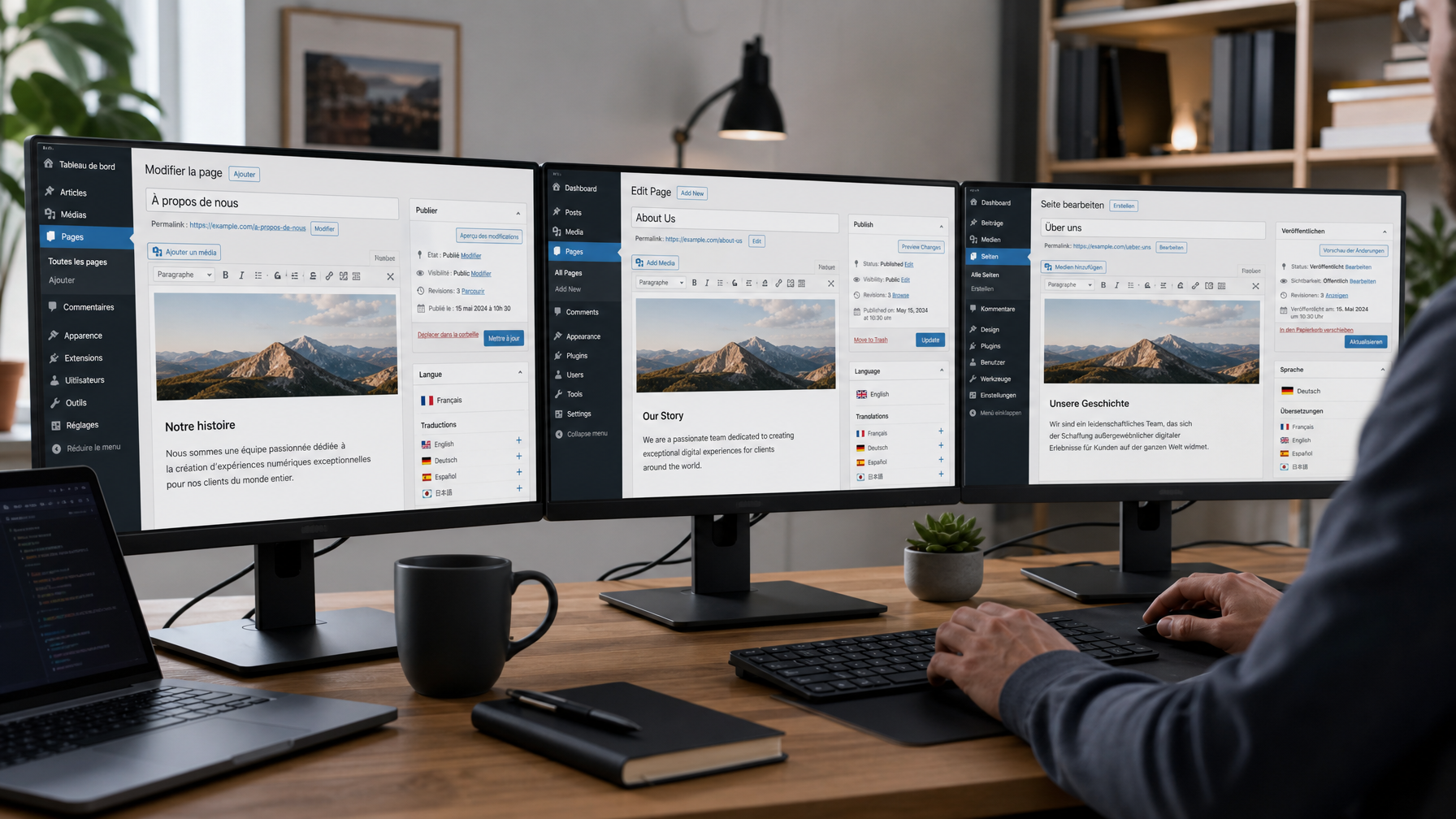
How to Choose the Right CMS Setup for a Multilingual Website: WordPress, Shopify and Webflow Compared
Key Takeaways
- The right multilingual CMS setup depends on your platform, the number of target languages, how often content is updated, and how translations will be managed operationally.
- WordPress with WPML or Polylang is the most flexible multilingual setup for most business websites, with mature tooling, hreflang automation, and support for complex site structures.
- Shopify's built-in Markets feature handles multilingual e-commerce well for straightforward setups, but has limitations for heavily customised stores or large product catalogues.
- Webflow Localization is a relatively new native feature with strong visual capabilities but more limited translation workflow tooling compared to WordPress plugins.
- Regardless of platform, the translation workflow — how content gets from the CMS to a translator and back — should be agreed before a multilingual project starts, not after.
Choosing how to structure a multilingual website is a decision that affects both the quality of the end result and the operational cost of maintaining it. The right setup depends on your platform, your content volume, how frequently content changes, and how you want to manage the translation workflow over time. This guide covers the main options for the three most common CMS platforms used by UK businesses.
Table of Contents
ToggleWordPress: WPML and Polylang
WordPress is the most widely used CMS for multilingual business websites, partly because it has the most mature multilingual plugin ecosystem. The two main options are WPML and Polylang.
WPML
WPML (WordPress Multilingual Plugin) is the most widely used multilingual plugin for WordPress and the most feature-complete. It creates translated versions of all content types — pages, posts, custom post types, menus, and widgets — within the same WordPress installation. Each language version has its own URL, and WPML handles hreflang tag generation automatically when configured correctly.
Key features relevant to translation workflows:
- XLIFF export and import — WPML can export content for translation in XLIFF format, a standard translation file format compatible with professional translation tools including MemoQ. Translated XLIFF files can be imported back into WordPress, repopulating the translated page or post automatically. This is the most efficient workflow for working with a professional translation agency.
- Translation management — WPML includes a translation queue and can integrate with external translation management systems, though the XLIFF export/import workflow is sufficient for most agency relationships.
- String translation — WPML translates not just post and page content but also theme strings, plugin strings, and other text elements that are outside the main content editor. This is important for fully translating a WordPress site, as navigation labels, button text, and widget content are often stored separately from page content.
- WooCommerce compatibility — WPML has a dedicated WooCommerce Multilingual module for translating e-commerce product content within WordPress.
WPML is a paid plugin. The cost is modest relative to the scope of a multilingual website project, but it should be factored into budget planning.
Polylang
Polylang is a free alternative to WPML with a paid Pro version for additional features. It handles the core multilingual functionality — translated versions of pages and posts, language-specific menus, and hreflang — but has fewer advanced features than WPML, particularly around translation workflow tooling and string translation.
For smaller WordPress sites with straightforward content structures and infrequent updates, Polylang is a cost-effective option. For larger or more complex sites, or sites with ongoing translation requirements, WPML's workflow tooling typically makes it the better choice.
Translation workflow for WordPress
The standard workflow for working with a translation agency on a WordPress site is:
- Complete the English content on the page or post in WordPress
- Export the content for translation via WPML's XLIFF export (or provide the content directly in a document)
- Send to the translation agency for professional human translation
- Receive the translated file and import it back into WordPress via WPML, or paste translated content into the translated page directly
- Review the translated page in WordPress for layout and formatting
- Publish
For sites with regular new content — blog posts, product updates, news — establishing a repeatable version of this workflow at the start of the project saves significant time over the life of the multilingual site.
Shopify: Shopify Markets and Translation Apps
Shopify's multilingual capabilities have improved significantly since the introduction of Shopify Markets, the platform's native internationalisation feature. For most Shopify stores adding one or two languages, the native tooling is now sufficient.
Shopify Markets
Shopify Markets allows a single Shopify store to serve multiple countries and languages from the same admin. Each market can have its own language, currency, pricing, and domain structure. Language versions can be served from subdirectories (e.g. yourstore.com/fr/) or subdomains, with hreflang handled by Shopify automatically.
Translation of store content in Shopify Markets is managed through the Translate and Adapt app (free, developed by Shopify). This app allows manual translation of all translatable content within the Shopify admin — product titles, descriptions, collections, pages, navigation, checkout copy, and email notifications.
For working with a translation agency, content can be exported from Shopify in CSV format, translated, and imported back. The export includes product content and metafields, though the import process requires attention to format consistency.
Limitations of Shopify's native multilingual tools
- Large product catalogues — stores with thousands of products and variants face a significant content volume to translate and manage. The CSV export/import workflow at scale requires careful file management.
- Theme string translation — translating theme text strings (button labels, section headings, checkout text) in Shopify requires editing language files directly or using a third-party translation app. This is not always intuitive for non-technical users.
- Customised checkout — Shopify's checkout is partially locked for most plan levels, limiting how extensively checkout copy can be translated or customised.
Third-party translation apps
Apps such as Langify and Weglot provide alternative multilingual solutions for Shopify. Weglot in particular is widely used — it automatically detects and translates all store content, with human translation editing available in the Weglot dashboard. Weglot handles hreflang and URL structure automatically.
The trade-off with Weglot and similar tools is that they typically use a combination of machine translation and human post-editing, rather than starting from a fully human-translated base. For stores where translation quality and brand voice are priorities, briefing a translation agency to produce the translations and importing them into Shopify manually gives more control over the output.
Webflow: Webflow Localization
Webflow introduced its native localization feature in 2023. Webflow Localization allows multilingual sites to be built and managed within the Webflow Designer and CMS, with language-specific content, locale-specific styling, and hreflang output.
How Webflow Localization works
Within Webflow Localization, a primary locale is set (typically English) and additional locales are added. Content in the Webflow Designer and CMS can be translated for each locale, with the ability to make locale-specific style adjustments — useful when a language version requires different text length, font, or layout treatment.
Webflow Localization handles hreflang tag generation and URL structure (subdirectories by default) automatically.
Translation workflow for Webflow
Webflow does not currently have a native XLIFF export for translation workflow purposes. The main options for working with a translation agency on a Webflow site are:
- Manual content provision — exporting page content in document format (Word or spreadsheet) for translation, then importing translated content back into Webflow manually by locale
- Webflow CMS CSV — for CMS collection content (blog posts, product listings managed via the CMS), Webflow supports CSV export and import, which can be used to provide content for translation and reimport translated versions
The translation workflow for Webflow is currently less streamlined than WPML's XLIFF workflow for WordPress. For larger Webflow sites with significant content volume, factor in additional time for the translation import process.
Webflow Localization limitations
- Webflow Localization is available on paid Webflow plans, with locale limits depending on the plan tier
- Some third-party integrations and custom code elements may not be fully compatible with locale-specific content
- The translation workflow tooling is less mature than WordPress equivalents
For businesses building new sites specifically for multilingual use, Webflow Localization is a capable option with strong visual design flexibility. For businesses migrating an existing Webflow site to multilingual, assess the content volume and workflow requirements carefully before committing.
Choosing the Right Setup
| WordPress + WPML | Shopify Markets | Webflow Localization | |
|---|---|---|---|
| Best for | Business/service sites, blogs, complex content | E-commerce stores | Design-led business sites |
| Hreflang | Automated | Automated | Automated |
| Translation workflow | XLIFF export/import | CSV export/import | Manual / CSV |
| String translation | Comprehensive | Partial | Partial |
| Cost | WPML licence + hosting | Shopify plan dependent | Webflow plan dependent |
| Maturity | Very mature | Mature | Newer |
For most UK business websites on WordPress, WPML with a professional translation agency using XLIFF export/import is the most reliable and operationally efficient setup. For Shopify e-commerce stores, Shopify Markets with human-translated content imported via CSV or a translation app is the standard approach. For Webflow, the native localization feature works well for design-led sites where translation volume is manageable.
Global LTS provides website translation services compatible with all three platforms. Contact us to discuss the right setup for your site.
For related reading, see our guides on multilingual SEO and website localisation vs website translation.